Russian viewers love a big choice of television. Live football and hockey, daily news, films and long-running series all matter. That is why more people now search for the best IPTV in Russia instead of relying on one fixed TV package. IPTV stands for Internet Protocol Television. It brings channels and on-demand shows to you through the internet. You can watch on a smart TV, a phone, a tablet or a streaming stick. The hard part is choosing. Some services are big licensed platforms. Others are smaller IPTV-style subscriptions with their own plans and prices. Many were built for other countries, so availability in Russia needs a careful check.
This guide reviews 15 services that viewers compare when they look for an IPTV subscription in Russia. Each review has an introduction, key features, pros and cons, a pricing table, and a note on why the service suits sports, news and entertainment lovers.
If you want a wider view first, read our Top 21 Best IPTV Services in the World. Want to see how IPTV compares with traditional TV? Try IPTV vs Cable TV.
What Is Russian IPTV?
Russian IPTV can mean two things. Both are common in searches.
- IPTV for viewers living in Russia. This covers domestic services and any foreign service that accepts Russian customers.
- IPTV for Russian speakers anywhere. Many people abroad want Russian-language channels, news and films.
- IPTV-style subscriptions. These sell plans by length, such as one month, one year or lifetime.
Most IPTV plans include live channels, an on-demand library and a programmer guide. Some also include catch-up tools or DVR features.
Always check whether the plan includes Russian-language channels, Russian sport and Russian news. Do not assume. A large advertised channel count does not guarantee the channels you want.
Local Services Worth Knowing in Russia
Before you look at foreign options, it helps to know the home market. Russia has its own strong streaming platforms.
- Wink is an IPTV and streaming aggregator from Rostelecom. Public listings show plans starting at roughly 199 RUB per month.
- Okko is a streaming service linked to Sber. Public listings show entry plans of roughly 399 to 599 RUB per month.
- Kinopoisk and ivi are other well-known Russian platforms for films and series.
These figures come from public listings and can change. They are not part of the 15 providers below, but they are a useful benchmark. A local service pays in Roubles and is built for the Russian market.
Why Is IPTV Growing in Russia?
Interest keeps rising for a few simple reasons.
- Choice. Viewers want live sport, news and films in one place.
- Flexibility. Plans run from one month to several years.
- Any screen. You can watch on a TV, phone or tablet.
- Value. Many plans cost less than a large TV package.
- Language. Russian speakers want channels and films in their own language.
- Global content. Viewers also want international sport and series.
Payment and Availability: What to Check First
This is the part many guides skip. For Russian viewers it matters a lot.
- Payment options. Visa and Mastercard stopped operating in Russia in March 2022. Many foreign services cannot take cards issued in Russia.
- Accepted methods. Check which payment methods a provider actually accepts before you pick a plan.
- Regional limits. Services like Fubo TV and Roku are built mainly for other markets. Confirm they work in your country.
- Refund terms. Know whether you can get your money back if the service does not work for you.
- Local rules. Laws and regulations can change. Check the current rules that apply to you.
If a provider cannot clearly explain how you can pay and watch, move on. A short plan is also safer than a long one.
How to Choose the Best IPTV Services in Russia?

Use this checklist before you pay.
- Check Russian-language content. Look for Russian channels, news, sport and films, not just a big total.
- Check the real price. Some providers list a range, not one number.
- Confirm payment and availability. Make sure the service works and can be paid for from where you are.
- Test stream quality. Watch live sport and a film. Look for buffering and freezing.
- Confirm device support. Check that an app works on your TV, phone or stick.
- Read the renewal terms. Find out whether a plan renews on its own and how to cancel.
- Look at support. Live chat, email or tickets all matter when something goes wrong.
- Ask about trials and refunds. A trial lowers your risk.
- Think about licensing. Licensed platforms carry clear rights. For any other provider, read the terms and check your local rules.
- Start short. A one-month plan is the safest test.
Spend a few minutes on this list. It can save you a month of frustration.
Is IPTV Legal in Russia?
IPTV is a way of delivering TV over the internet. Whether a service is legal IPTV depends on content rights and on local law. Providers that hold the rights to their content are the safest choice.
Licensed local platforms such as Wink and Okko, and licensed international platforms, operate with proper rights. For any other provider, read the terms and check the current rules before paying.
This guide is for information only. It does not encourage access to content without permission, and it is not legal advice.
Top 15 Best IPTV in Russia in 2027
Here are the 15 services in our guide. Each section covers an introduction, features, pros and cons, pricing and why it suits sports, news and entertainment fans.
Prices for IPTV-style providers come from the figures supplied for this guide. Prices for licensed platforms are based on recent public listings and can change. Always confirm availability and the total at checkout.
1. StreamView IPTV
Fixed prices that are easy to budget for in Russia
StreamView IPTV opens this list because its pricing is easy to read. Each plan length has one price, from a single month at $14 to a lifetime plan at $260. Viewers in Russia who dislike surprises will like that. StreamView is an effective most popular IPTV services in the USA, the UK, Canada, and Australia.
It also fits the way many people search for Russian IPTV. You can test a short plan first, check the channels you care about, and then decide whether a longer subscription makes sense.
Features of StreamView IPTV
- One fixed price for every plan length
- Live TV categories for sport, news, movies and family viewing
- A video-on-demand section for films and series
- Five plan options, from one month to lifetime
- Built for smart TVs, phones and streaming sticks (check the current app list)
- Simple sign-up and activation
Pros and Cons of StreamView IPTV
Pros
- No confusing price ranges
- Low-cost one-month trial
- Strong savings on longer plans
- A lifetime option for loyal viewers
Cons
- Lifetime needs a large upfront payment
- Monthly price is above the cheapest providers
- Check for Russian-language channels before you buy
StreamView IPTV Pricing
| Plan | Price |
| 1 Month | $14 |
| 3 Months | $29 |
| 6 Months | $45 |
| 12 Months | $65 |
| Lifetime | $260 |
Why Is StreamView IPTV Best for Sports, News and Entertainment Lovers?
Sports fans can plan a full season of football, hockey or tennis with a known cost. News lovers can keep up with daily bulletins on a plan that stays predictable.
Entertainment viewers can mix live channels with on-demand shows, all for a bill that is easy to understand.
2. Pixzo TV
Tiered plans for light and heavy viewers
Pixzo TV lets you pick a level instead of buying one fixed package. The one-month price runs from $14.99 to $39.99, so a casual viewer and a heavy viewer can each find a fit.
For anyone comparing an IPTV subscription in Russia, that flexibility is handy. You can start low, learn how the service behaves on your connection, and move up if you want more.
Features of Pixzo TV
- Several price levels on every plan length
- Live channels for sport, news, movies and kids’ content
- On-demand movies and series
- Plans for 1, 3, 6 and 12 months
- Made for common devices (confirm support for yours)
- Fast activation after payment
Pros and Cons of Pixzo TV
Pros
- Suits small and larger budgets
- Easy to upgrade later
- Longer plans cost less per month
- No lifetime pressure
Cons
- Ranges are harder to compare
- The top tier costs much more than the entry tier
- No lifetime plan is listed
Pixzo TV Pricing
| Plan | Price |
| 1 Month | $14.99 – $39.99 |
| 3 Months | $24.99 – $64.99 |
| 6 Months | $39.99 – $99.99 |
| 12 Months | $64.99 – $149.99 |
Why Is Pixzo TV Best for Sports, News and Entertainment Lovers?
Sports fans can pay for a higher level during a big tournament and drop back afterwards. News fans get a simple way to follow current events.
Series and movie lovers can start small, see how the library feels and then decide whether to step up.
3. Zest IPTV
The lowest fixed monthly price in this guide
Zest IPTV is the budget choice among the fixed-price providers. One month costs $11 and a full year costs $60. For many households, that is a small price for a trial.
A lifetime plan sits at the top of the range. You can begin cheaply and decide later, which suits a market where viewers like to compare before they commit.
Features of Zest IPTV
- A $11 starting price for 30 days
- Live TV for sport, news, movies and entertainment
- An on-demand library
- Plans for 1, 3, 6 and 12 months
- A lifetime plan at $220
- Meant for mainstream devices (verify compatibility)
Pros and Cons of Zest IPTV
Pros
- Lowest fixed monthly price here
- Transparent pricing
- Good value on 6 and 12-month plans
- A lifetime option exists
Cons
- Lifetime relies on the provider lasting
- Extras may be fewer than at premium rivals
- Plan details can change
Zest IPTV Pricing
| Plan | Price |
| 1 Month | $11 |
| 3 Months | $25 |
| 6 Months | $40 |
| 12 Months | $60 |
| Lifetime | $220 |
Why Is Zest IPTV Best for Sports, News and Entertainment Lovers?
Sports fans on a tight budget can follow a favourite league without a costly package. News lovers get a cheap way to test live news channels.
Entertainment fans can explore movies and shows at a very low risk.
4. Polu TV
A low starting price with room to upgrade
Polu TV begins at $14 for one month, which keeps the first step small. Like Pixzo TV, it uses a price range, so you choose the level that matches your habits.
The higher levels suit people who watch a lot of live content. The lower levels suit viewers who just want to sample Russian IPTV and see how it feels.
Features of Polu TV
- One-month plans from $14 to $39
- Live channels grouped by sport, news, movies and entertainment
- Video-on-demand titles for quiet evenings
- Plans for 1, 3, 6 and 12 months
- Aimed at widely used devices (check the app list)
- Simple activation after payment
Pros and Cons of Polu TV
Pros
- Low starting price
- Several levels to choose from
- Longer plans cut the monthly cost
- Easy to renew
Cons
- Ranges can be hard to compare
- No lifetime plan listed
- The top level may be more than casual viewers need
Polu TV Pricing
| Plan | Price |
| 1 Month | $14 – $39 |
| 3 Months | $24 – $64 |
| 6 Months | $39 – $99 |
| 12 Months | $64 – $149 |
Why Is Polu TV Best for Sports, News and Entertainment Lovers?
If you follow big matches and tournaments, a flexible plan covers them without a long contract. News viewers can check live bulletins on the same plan.
Movie fans can test the on-demand side too, then renew only if they enjoy it.
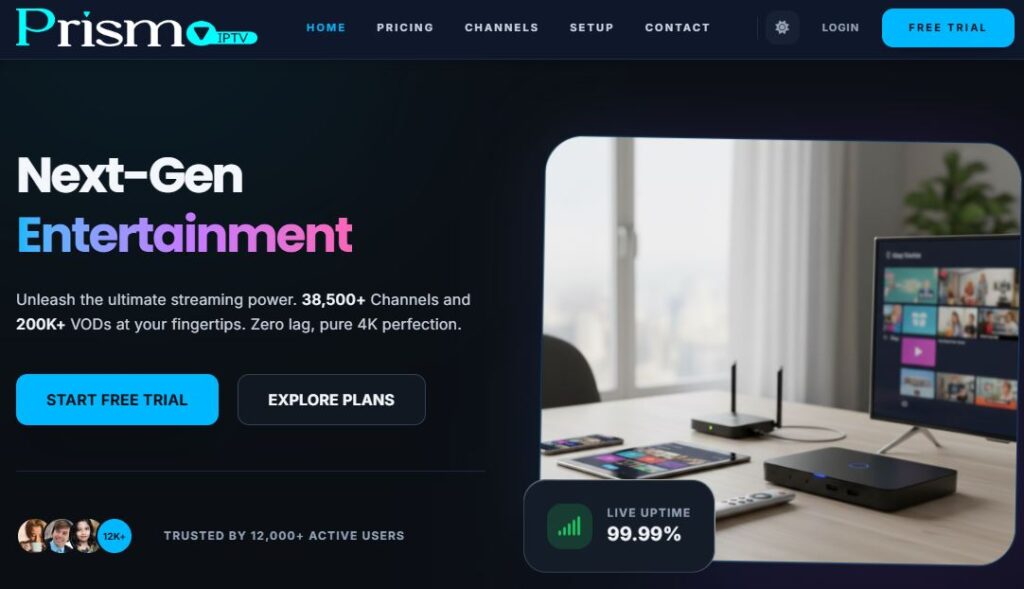
5. Prismo IPTV
A flat $15 plan with a clear route to lifetime. Prismo IPTV keeps things simple. One month costs $15, three months cost $35 and a year costs $85. There are no ranges to decode.
A lifetime plan at $350 is also listed. It is a big payment, but it appeals to viewers who already know they want long-term access.
Features of Prismo IPTV
- A flat $15 one-month plan
- Live TV for sport, news, movies and entertainment
- On-demand movies and series
- Plans for 1, 3, 6 and 12 months
- A lifetime option at $350
- Built for common devices (check the app list)
Pros and Cons of Prismo IPTV
Pros
- Easy-to-read pricing
- Reasonable monthly cost
- Lifetime option for committed viewers
- Good savings on longer plans
Cons
- Monthly price is above the cheapest options
- Lifetime is a large upfront payment
- Channel lists can change
Prismo IPTV Pricing
| Plan | Price |
| 1 Month | $15 |
| 3 Months | $35 |
| 6 Months | $60 |
| 12 Months | $85 |
| Lifetime | $350 |
Why Is Prismo IPTV Best for Sports, News and Entertainment Lovers?
Sports fans can pay a flat $15 for a month of coverage. News lovers get predictable billing while they test live channels.
Entertainment viewers can explore live and on-demand content before they decide to stay.
6. Troypoint TV
A familiar streaming brand with tiered monthly plans. Troypoint is a recognised name in streaming circles, and Troypoint TV brings that name to IPTV. One month starts at $13.99.
The range climbs to $39.99, so you can choose a modest plan or a fuller one. Longer plans lower the monthly cost further.
Features of Troypoint TV
- One-month plans from $13.99 to $39.99
- Live channels for sport, news, movies and family viewing
- On-demand movies and series
- Plans for 1, 3, 6 and 12 months
- Built for common streaming devices (confirm availability)
- Simple upgrades when you want to stay
Pros and Cons of Troypoint TV
Pros
- A recognised brand
- Low entry price
- Cheaper long-term plans
- Several levels to choose from
Cons
- A big gap between lowest and highest tier
- No lifetime plan listed
- Details can change over time
Troypoint TV Pricing
| Plan | Price |
| 1 Month | $13.99 – $39.99 |
| 3 Months | $22.99 – $64.99 |
| 6 Months | $39.99 – $99.99 |
| 12 Months | $59.99 – $149.99 |
Why Is Troypoint TV Best for Sports, News and Entertainment Lovers?
Sports fans can cover a tournament and see how live coverage runs on their own setup. News fans can check how quickly bulletins load.
Entertainment viewers can compare it with other services before picking a longer plan.
7. Roku TV
A platform for free channels and flexible apps
Roku TV is a platform, not a single IPTV plan. It runs on smart TVs and streaming players, and it puts live channels, movies and apps on one home screen.
Roku is sold in a limited set of countries, so Russian viewers should check availability and app support before buying anything. Where it works, it is a tidy base for a flexible setup.
Features of Roku TV
- The Roku Channel with free live TV and movies
- Thousands of apps on one screen
- Voice search and a simple menu
- A mobile app that doubles as a remote
- Built into many TVs and sold as players
- App subscriptions you can cancel at any time
Pros and Cons of Roku TV
Pros
- Free content without a subscription
- Very easy to set up
- Wide app choice
- Flexible monthly billing for apps
Cons
- Not one all-in-one live TV plan
- Availability depends on your country
- Free channels include ads
Roku TV Pricing
| Plan | Price |
| The Roku Channel | Free (ad-supported) |
| Roku TV or streaming player | One-time hardware cost (varies by model) |
| Paid apps and channels | Billed separately by each service |
Roku does not sell one IPTV plan, so this table shows how the platform is paid for. Confirm availability in your country.
Why Is Roku TV Best for Sports, News and Entertainment Lovers?
Sports fans can add a sports app for a month and cancel afterwards. News lovers can use free news channels where they are offered.
Entertainment viewers can mix free channels with a paid app or two for a low-cost setup.
8. Digitalizard
One of the cheapest entry prices on this list
Digitalizard targets people who want to spend as little as possible. Its one-month plan starts at $8, the lowest figure in this guide.
The range reaches $24, so you decide how far to go. It is a sensible way to test IPTV in Russia with almost no financial risk.
Features of Digitalizard
- One-month plans from $8 to $24
- Live TV for sport, news, movies and entertainment
- An on-demand library for films and series
- Plans for 1, 3, 6 and 12 months
- Low prices across every plan length
- Meant for common devices (check compatibility)
Pros and Cons of Digitalizard
Pros
- Lowest starting price here
- Affordable long plans
- Great for cautious beginners
- A wide price range
Cons
- Lower levels may include fewer extras
- No lifetime plan listed
- Check support options before paying
Digitalizard Pricing
| Plan | Price |
| 1 Month | $8 – $24 |
| 3 Months | $15 – $45 |
| 6 Months | $25 – $75 |
| 12 Months | $45 – $135 |
Why Is Digitalizard Best for Sports, News and Entertainment Lovers?
Sports fans who want one big event can watch it for very little. News lovers can sample live channels at almost no risk.
Entertainment viewers can find out whether IPTV suits them before spending more.
9. Naxa TV
Tiered plans that scale from light to heavy viewing
Naxa TV offers tiered plans from $14.99 to $39.99 for one month. Light viewers can stay at the bottom, and heavy viewers can step up.
It also sells 3, 6 and 12-month plans. If your first month goes well, the savings on longer plans are easy to see.
Features of Naxa TV
- One-month plans from $14.99 to $39.99
- Live channels for sport, news, movies and entertainment
- On-demand movies and series
- Plans for 1, 3, 6 and 12 months
- Aimed at mainstream devices (verify support)
- Simple renewal
Pros and Cons of Naxa TV
Pros
- Scales with your needs
- Savings on longer plans
- Clear pricing by length
- Easy to renew or stop
Cons
- The top tier costs a lot more
- No lifetime plan listed
- Channel details can change
Naxa TV Pricing
| Plan | Price |
| 1 Month | $14.99 – $39.99 |
| 3 Months | $24.99 – $64.99 |
| 6 Months | $39.99 – $99.99 |
| 12 Months | $64.99 – $149.99 |
Why Is Naxa TV Best for Sports, News and Entertainment Lovers?
Sports fans can choose a plan for the weeks that matter most. News lovers can keep a steady feed of headlines on the same subscription.
Entertainment fans can try live shows and on-demand titles and compare with other services.
10. Fubo TV
A sports-first licensed service with monthly billing
Fubo TV is a licensed live TV service built around sport, aimed mainly at viewers in the United States. It bills monthly and is one of the best-known names in sports streaming.
It offers several plans, from a lower-cost Sports and News option to higher tiers. Because it targets the US market, readers in Russia should confirm availability and payment options first.
Features of Fubo TV
- 150+ live channels on main plans
- A strong focus on football, soccer, basketball and baseball
- Cloud DVR to record games
- Multiview on supported devices
- Several plans, including Sports and News and a Latino plan
- Optional add-on channel packs
Pros and Cons of Fubo TV
Pros
- One of the strongest sports line-ups among licensed services
- Month-to-month billing
- Cloud DVR included
- Several plan levels
Cons
- Costs more than IPTV-style plans
- Built mainly for US viewers
- Regional sports fees may apply
Fubo TV Pricing
| Plan | Price |
| Sports and News plan | From about $55.99 per month |
| Pro plan | About $73.99 per month |
| Higher tiers | Up to about $83.99 per month |
| Latino plan | $19.99 per month |
Prices vary by plan and location, and regional sports fees may be added. Confirm availability and the total at checkout.
Why Is Fubo TV Best for Sports, News and Entertainment Lovers?
Sports lovers get one of the deepest live sport line-ups, plus DVR for recording games. News fans still get news channels on the Sports and News plan.
Entertainment fans get shows and movies too, although the plan clearly leans toward live sport.
11. Tivi Station
Neat flat pricing across every plan length
Tivi Station sells a one-month plan for $15, and each longer plan has one listed price. That clarity suits people who dislike hidden tiers.
A lifetime plan at $365 gives loyal viewers a long-term route if they like what they see.
Features of Tivi Station
- A flat $15 monthly plan
- Live channels for sport, news and movies
- A video-on-demand library
- Plans for 1, 3, 6 and 12 months
- A lifetime plan at $365
- Works with popular devices (confirm support)
Pros and Cons of Tivi Station
Pros
- Transparent pricing
- Simple plan structure
- Savings on 6 and 12-month plans
- A lifetime option
Cons
- Not the lowest monthly price
- High lifetime cost
- Features can vary by device
Tivi Station Pricing
| Plan | Price |
| 1 Month | $15 |
| 3 Months | $35 |
| 6 Months | $65 |
| 12 Months | $95 |
| Lifetime | $365 |
Why Is Tivi Station Best for Sports, News and Entertainment Lovers?
Sports fans can use a short plan to cover a tournament without a long contract. News lovers can check live channels before committing.
Entertainment viewers can browse live shows and on-demand titles to see if the service fits.
12. TrendyScreen
The widest choice of plan lengths on this list
TrendyScreen offers more plan lengths than most rivals. You can buy one month, three, six, twelve or twenty-four months, or choose a lifetime plan. One month costs a flat $15. That makes it simple to test before deciding how long to stay.
Features of TrendyScreen
- A flat $15 one-month plan
- Live TV for sport, news and movies
- On-demand movies and series
- Plans for 1, 3, 6, 12 and 24 months
- A lifetime plan at $365
- Made for common streaming devices (check support)
Pros and Cons of TrendyScreen
Pros
- More plan lengths than most providers
- Easy flat pricing
- A 24-month plan for mid-term savings
- A lifetime option
Cons
- Monthly price is not the lowest
- High lifetime cost
- Channel details can change
TrendyScreen Pricing
| Plan | Price |
| 1 Month | $15 |
| 3 Months | $35 |
| 6 Months | $65 |
| 12 Months | $95 |
| 24 Months | $165 |
| Lifetime | $365 |
Why Is TrendyScreen Best for Sports, News and Entertainment Lovers?
Sports fans can start with a month and move to a longer plan if the coverage suits their leagues. News lovers can keep their daily routine going.
Entertainment lovers can test the library first. The many plan lengths make scaling up easy.
13. Dodo IPTV
A provider to check directly for current plans
Dodo IPTV earns a place here for readers who like to compare more than a few options. Plans and availability can differ by country and bundle.
Because pricing is not the same everywhere, the table points you to the official page. Always check the current price and what it includes before paying.
Features of Dodo IPTV
- Home entertainment built around live and on-demand viewing
- Plans that may depend on region or bundle
- Options suited to flexible, month-based viewing
- Support for common devices (confirm before subscribing)
- Account management through the provider’s own channels
- Terms and renewal rules published by the provider
Pros and Cons of Dodo IPTV
Pros
- Worth including in a side-by-side comparison
- Short-term viewing is possible
- Terms can be checked before paying
- Regional options may suit some viewers
Cons
- Pricing is not uniform across regions
- Details must be checked on the official page
- May not be available in Russia
Dodo IPTV Pricing
| Plan | Price |
| 1 Month | Check the official Dodo page for current pricing |
| Longer plans | Vary by region and bundle |
No fixed price is listed because plans change by region. Verify availability and the amount before you pay.
Why Is Dodo IPTV Best for Sports, News and Entertainment Lovers?
Sports fans should check which channels are in the plan before committing. News lovers should confirm that news channels are included.
Entertainment viewers can use a short term to judge the library, as long as the plan details are clear up front.
14. Krooz TV
Flat $15 pricing with a clear step up to longer plans.
Krooz TV follows the same neat pattern as other fixed-price providers. One month costs $15, three months cost $35 and a year costs $95. A lifetime plan at $365 sits at the top. If your first month goes well, a long-term option is waiting.
Features of Krooz TV
- A flat $15 one-month plan
- Live channels for sport, news, movies and entertainment
- An on-demand library of films and series
- Plans for 1, 3, 6 and 12 months
- A lifetime plan at $365
- Made for mainstream devices (verify first)
Pros and Cons of Krooz TV
Pros
- Simple, transparent pricing
- Moderate monthly cost
- Good savings on longer plans
- A lifetime option
Cons
- Not the cheapest monthly price
- Large upfront cost for lifetime
- Content can change over time
Krooz TV Pricing
| Plan | Price |
| 1 Month | $15 |
| 3 Months | $35 |
| 6 Months | $65 |
| 12 Months | $95 |
| Lifetime | $365 |
Why Is Krooz TV Best for Sports, News and Entertainment Lovers?
Sports fans can pay $15, watch the events that matter and decide later whether to renew. News lovers get a bill that is easy to predict.
Entertainment viewers can explore live and on-demand content on a plan they can plan around.
15. ExtremeHD IPTV
A widely resold name, so check the seller before you pay.
ExtremeHD IPTV is a name you will meet on many websites. It is often sold through resellers, and prices and details can vary from seller to seller. That makes careful checking important. Confirm the price, the number of connections and the cancellation terms before paying. A single month is the safest way to test it.
Features of ExtremeHD IPTV
- Month-based plans popular for first-time testing
- Live TV categories for sport, news and movies
- On-demand movies and series, depending on the plan
- Different connection counts that can change the price
- Support for common devices (check with your seller)
- Plan lengths that usually include 1, 3, 6 and 12 months
Pros and Cons of ExtremeHD IPTV
Pros
- A one-month plan lowers the risk
- Connection options for households
- Wide name recognition
- Easy to compare with other services
Cons
- Prices vary by reseller
- Quality can differ between sellers
- Terms and refunds need careful checking
ExtremeHD IPTV Pricing
| Plan | Price |
| 1 Month | Varies by seller and number of connections |
| Longer plans | Vary by seller |
No fixed price is listed because resellers set their own. Confirm the total, connections and refund terms before paying.
Why Is ExtremeHD IPTV Best for Sports, News and Entertainment Lovers?
Sports fans can use one month to check how live events perform on their own device and connection. News lovers can test how steady news channels are.
Entertainment viewers can test the library without a long contract and compare it with the other services here.
Which IPTV Service Is Right for You?
Every viewer is different. This short guide matches services to common needs.
- Lowest price: Digitalizard starts at $8, and Zest IPTV charges a flat $11.
- Simple fixed pricing: StreamView IPTV ($14), Prismo IPTV, Tivi Station, TrendyScreen and Krooz TV ($15 each).
- Tiered plans with room to grow: Pixzo TV, Polu TV, Troypoint TV and Naxa TV.
- Longest plan options: TrendyScreen, with a 24-month plan and a lifetime plan.
- Sports-first licensed streaming: Fubo TV, if it is available to you.
- Free channels and flexible apps: Roku TV, where it is sold.
- Providers to verify directly: Dodo IPTV and ExtremeHD IPTV, where price and terms depend on region or seller.
Still unsure? Try a short plan with one budget provider and compare it with a local service.
Choosing the Right Plan Length
A short plan is the safest start. Here is how plan lengths compare.
- 1 month: Highest monthly price, lowest risk. Best for testing.
- 3 months: A small saving. See our Best 3 Months IPTV Plan guide.
- 6 months: A balanced choice once you trust the service.
- 12 months: The lowest monthly cost for steady viewers. See the Best One-Year IPTV Subscriptions.
- Lifetime: A large payment up front. Only sensible if you trust the provider long term.
Understanding IPTV Pricing
Prices look simple, but a few details sit underneath.
Fixed-price providers, such as Zest IPTV and Krooz TV, give you one number per plan. Tiered providers, such as Pixzo TV and Naxa TV, give you a range. The low end usually covers basic access. The high end usually adds more.
Prices in this guide are in US dollars. Local services price in roubles. Exchange rates and fees can change the final cost, so check the total at checkout.
- Compare the one-month price with the longer plans to see the saving.
- Check whether taxes, fees or conversion costs are added.
- Choose a lifetime plan only if you trust the provider long term.
- Remember that a cheap plan is poor value if it buffers.
- Check how many devices can stream at once.
Why Is IPTV Best for Sports, News and Entertainment Lovers?
IPTV suits fans for a handful of simple reasons.
- Sport. Football, hockey, tennis and combat sports can sit on one plan. See our guides on IPTV for hockey fans, IPTV for tennis channels and IPTV for PPV fights.
- News. Live bulletins and rolling news channels keep you informed through the day.
- Entertainment. Films and series are there when no match is on.
- Flexible billing. Plans can match a season, not a calendar year.
- Any screen. Watch on a TV, phone or tablet.
- Variety. International and local content can sit side by side.
For a wider sports view, read our guide to the best IPTV services for live sports.
How Does IPTV Work?
A provider sends TV channels to you over the internet. Your app or player turns that stream into a picture.
- Live streams carry channels as they air, such as a match or the evening news.
- Video on demand lets you choose a film or episode whenever you like.
- A programme guide shows what is on now and what comes next.
- Catch-up and DVR tools let you watch something you missed, where offered.
Your connection matters. A steady line gives a smooth picture. A weak one causes freezing.
What You Need to Watch IPTV
- A smart TV, phone, tablet, computer or streaming stick
- A stable internet connection of around 10 Mbps for HD or 25 Mbps for 4K
- A compatible app or player from the provider
- Your login details or activation code
- A clear way to pay that the provider accepts
Wi-Fi coverage differs a lot between homes. A wired connection is often more stable for live sport.
Licensed Platforms vs IPTV-Style Providers
The two groups suit different people.
Licensed platforms have clear content rights, polished apps and steady support. They usually cost more, and many serve only certain countries.
IPTV-style providers such as Zest IPTV, StreamView IPTV and Digitalizard cost much less and offer many plan lengths. Details differ from one provider to the next, so you need to check each one carefully.
Many viewers combine a local service with one low-cost provider. The local service covers familiar channels, and the other adds variety.
Quick Pricing Snapshot
Here is a fast look at the one-month price for each provider.
- Digitalizard: $8 – $24
- Zest IPTV: $11
- Troypoint TV: $13.99 – $39.99
- StreamView IPTV: $14
- Polu TV: $14 – $39
- Pixzo TV and Naxa TV: $14.99 – $39.99
- Prismo IPTV, Tivi Station, Krooz TV and TrendyScreen: $15
- Fubo TV: from about $55.99
- Roku TV: free channels, with paid apps billed separately
- Dodo IPTV and ExtremeHD IPTV: check the official site or seller
Common Mistakes to Avoid
- Paying for a long plan before testing the service
- Buying on match day, with no time to fix problems
- Ignoring device support and finding the app will not install
- Skipping the renewal terms and being billed by surprise
- Choosing on price alone and ignoring stream quality
- Assuming Russian channels are included without checking
- Forgetting to check that you can actually pay for the service
How to Get Started
- Shortlist two or three services from the list above.
- Check availability and payment. Make sure the service works for you.
- Check your device. Make sure an app works on your TV, phone or stick.
- Choose a short plan first. Confirm the price and what it includes.
- Test early. Try live sport, the news and a film on day one.
- Set a reminder. Note the end date so you can renew or cancel in time.
If anything looks wrong, contact support within the first day. That is the best time to ask about refunds or fixes.
Sports, News and Films: What Russian Viewers Usually Look For
Every household has its own favourites. These are the categories most viewers check first.
- Football. Domestic league matches, European club games and major international tournaments.
- Hockey. League games and international events draw large audiences.
- Tennis and combat sports. Grand Slams and big fight nights are popular for short plans.
- News. Rolling news, regional bulletins and international coverage.
- Films and series. Both Russian productions and international titles.
- Kids’ channels. Cartoons and family shows keep younger viewers busy.
Before you pay, write down the five channels you watch most. Then check each provider’s channel list against your own list. That simple step saves a lot of disappointment.
IPTV vs Cable and Streaming Apps
IPTV sits between traditional TV and on-demand apps.
- Versus cable or satellite: IPTV needs no dish or box and often costs less. Cable offers a familiar set-up. See IPTV vs Cable TV.
- Versus on-demand apps: Apps such as Netflix focus on shows and films. IPTV adds live channels. See IPTV vs Netflix.
- Versus local platforms: Services like Wink and Okko are built for Russia. IPTV-style providers often offer wider international choice.
There is no single best option. Many viewers mix two or three.
Tips for Smooth Streaming
A good provider still needs a good set-up. These small steps help.
- Place your router close to your TV, or use a cable.
- Close other apps and downloads while you watch live sport.
- Restart your router if the picture starts to freeze.
- Keep your app updated to the latest version.
- Test the service on a quiet evening before a big match.
- Avoid peak hours for your first test if you can.
- Contact support early if something does not work.
Who Should Use IPTV?
- Cord-cutters who want to drop a large TV package
- Sports fans who follow several leagues
- News followers who want live bulletins at any time
- Families who want films, series and kids’ shows
- Russian speakers abroad who miss channels from home
- Budget-minded viewers who prefer small, predictable bills
Final Checklist Before You Subscribe
Run through this list before you pay.
- I know the exact price, including taxes and fees
- The Russian-language channels I want are clearly included
- I know how I can pay, and the provider accepts it
- My device has a working app or player
- I have read the renewal and cancellation terms
- I know how to reach support
- I have set a reminder for the end of my plan
If you can tick every box, you are ready. If not, move on to the next provider on the list.
How to Compare Two IPTV Providers Side by Side
When two services look similar, a simple test shows the difference. Try each on a short plan and score it.
- Picture quality. Watch the same live event or channel on both.
- Stability. Note any freezing or buffering in the first week.
- Channel match. Count how many of your top five channels are available.
- App comfort. Check how easy the menus and programme guide are to use.
- Support speed. Send one simple question and see how fast you get an answer.
- Real cost. Add up the plan price, fees and any conversion costs.
Write your scores down. After a month, the better choice is usually clear.
When Is the Best Time to Subscribe?
Timing can save money and stress.
- Before a major tournament, so you have time to test the service.
- At the start of a league season, if you follow one competition closely.
- After a free or low-cost trial, when you already know the service works.
- When a longer plan is on offer, and only after a short test.
- Not on match day, when problems are hardest to fix.
Many viewers also pause or cancel in the off-season. Short plans make that easy.
Questions to Ask a Provider Before You Pay
A quick message to support can answer a lot. Here are good questions to ask.
- Which Russian-language channels, sports and news are included?
- Which payment methods do you accept?
- Which devices and apps do you support?
- How many screens can I use at once?
- Is there a trial, and what is your refund policy?
- Does my plan renew automatically?
A clear, quick answer is a good sign. A vague or missing answer is a warning.
Is a Cheap IPTV Plan Worth It?
Cheapest IPTV searvices are tempting. A $8 or $11 plan can look like a bargain. Whether it is worth it depends on what you get.
- Good value means steady streams, the channels you want and helpful support.
- Poor value means constant buffering, missing channels or no reply when you need help.
- Short plans let you find out which one you have before you spend much.
- Reviews and trials can add useful clues, but your own test counts most.
A fair rule is simple. Pay a little to test, and pay more only after the service has proven itself.
Many viewers find that a mid-priced plan with stable streams beats the cheapest plan with problems. Use the one-month plans in this guide to decide for yourself.
Related Guides From Writology99
- Best IPTV services in the world
- Best IPTV services in France
- Best IPTV services in Sweden
- Best IPTV services in the USA
- Best IPTV subscription in Dubai
- IPTV services for MLB
- IPTV vs Netflix
- IPTV vs vSeebox
- TV streaming guides
FAQs About the Best IPTV in Russia
What is the best IPTV in Russia?
There is no single winner. Zest IPTV has the lowest fixed price at $11, and Digitalizard starts at $8. Local platforms such as Wink and Okko are built for the Russian market. The best choice depends on your channels, budget and payment options.
How much does an IPTV subscription in Russia cost?
Among the IPTV-style providers here, one month costs from $8 to about $39.99 depending on the plan. Local platforms price in roubles, often from a few hundred roubles per month.
Does IPTV include Russian channels?
Not always. Check that Russian-language channels, sport and news are included before you pay.
Can I pay with a card issued in Russia?
Many foreign services cannot accept it, because Visa and Mastercard stopped operating in Russia in 2022. Check the accepted payment methods first.
Is IPTV legal in Russia?
IPTV is a delivery method. Legality depends on content rights and current rules, so use licensed services or read the terms carefully.
Do I need special equipment?
No. A smart TV, phone, tablet or streaming stick is enough, plus a stable internet connection.
Which plan length should I choose?
Start with one month. If you are happy, longer plans usually cost less per month. See our Best 3 Months IPTV Plan guide.
What is the best IPTV for sports and news?
Check the channel list for your favourite sports and news channels. Fubo TV is sport-focused where available, and local platforms cover Russian sport and news.
Conclusion
IPTV gives Russian viewers more choice, more flexibility and often a lower bill. The key is to check availability, payment and Russian-language content before you commit.
In this guide you met 15 services, from budget names like Digitalizard and Zest IPTV to fixed-price providers like StreamView IPTV and Krooz TV. Each suits a different viewer. Shortlist two or three, try each on a short plan, and keep the one that gives you the best mix of price, quality and content.